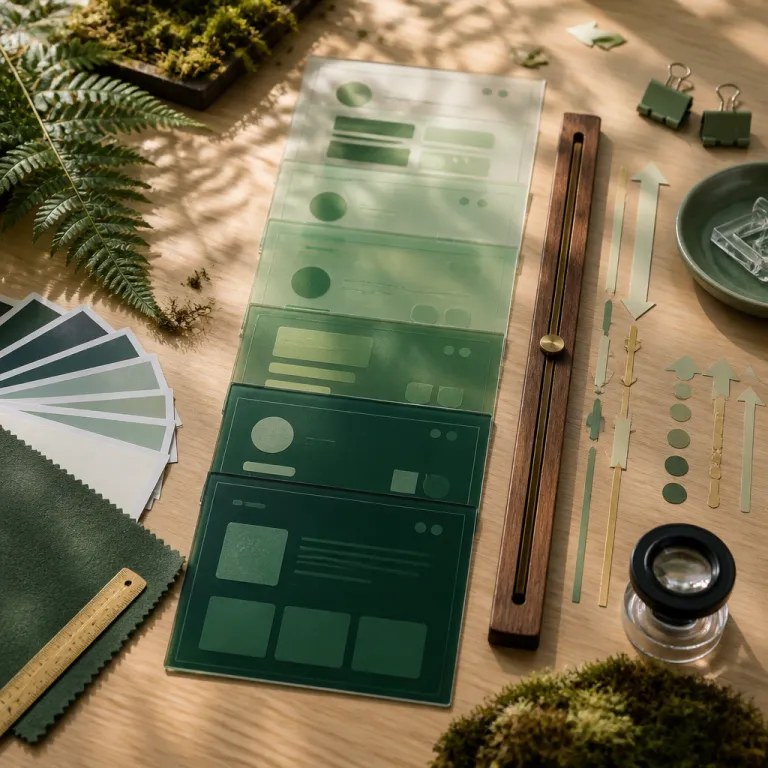
Why CSS scroll-driven animations design changes the front-end game
CSS scroll-driven animations design turns the humble scroll into a design axis. When you attach an animation timeline directly to scroll progress, you stop thinking in discrete triggers and start thinking in continuous timelines that live inside the viewport. This shift makes every element on the page a potential interactive surface, without a single JavaScript listener on scroll position.
At the core, a scroll animation in modern css is just a relationship between a scroll container and one or several timelines. You define a scroll timeline, bind it to a specific element or to the root viewport, then map that progress to keyframes that animate properties such as opacity, transform translateY, or background color. The browser handles the heavy lifting on the compositor thread, which means smoother driven animations and less layout thrashing than many JavaScript solutions.
Think of scroll driven motion as a new layer in your interaction design toolkit. Instead of wiring IntersectionObserver callbacks or importing a heavy library, you describe an animation range in pure css and let the engine interpolate every frame. This is where CSS scroll-driven animations design really shines for interactive design teams that care about performance, maintainability, and a clean separation between structure, style, and behavior.
From JavaScript scroll hacks to native scroll timelines
For years, scroll animation patterns relied on JavaScript to track scroll position and update styles. Libraries such as GSAP ScrollTrigger or Locomotive Scroll gave designers fine control, but they also introduced complexity, extra dependencies, and a constant risk of janky timelines on low power devices. CSS scroll changes that equation by making the scroll timeline a first class citizen in the rendering pipeline.
With the new scroll timeline specification, you can declare a timeline scroll context directly in css, then attach multiple animations to that single source of truth. Each animation timeline can use its own animation range, so one element might fully animate over the first half of the scroll progress while another reacts only near the end. This model is closer to motion design tools, where timelines and keyframes are explicit objects rather than side effects of event handlers.
Because the browser owns the scroll container and the associated timelines, it can optimize view progress calculations and compositing. The result is that a complex scroll animation with several elements, each using transform translateY and opacity, can remain fluid even when the page is busy. For front end developers sensitive to design, this native approach finally aligns code structure with the mental model used by motion designers.
CSS Scroll-Timeline and View Timelines : syntax, support, and mental models
CSS Scroll-Timeline introduces two key concepts for CSS scroll-driven animations design : scroll timelines and view timelines. A scroll timeline ties animation progress to the scroll position of a scroll container, while a view timeline ties it to how an element enters and exits the viewport. Together, they let you express both page level scroll animation and fine grained view animation without JavaScript.
In practice, you define a scroll timeline with a simple css rule that names the timeline and points to a scroll container element. Then you reference that timeline in an animation timeline property on any element you want to animate, specifying the animation range in percentages or logical keywords such as entry and exit. View timelines work similarly, but they compute progress based on the element’s visibility in the viewport, which is ideal for reveal animations and progressive opacity changes.
Browser support now covers all major engines, which makes CSS scroll-driven animations design viable for production interfaces. Chrome, Firefox, and Safari implement scroll timeline and view timeline primitives, so you can rely on consistent scroll progress behavior across platforms. When you combine these primitives with linear animation easing and carefully tuned keyframes, you get driven animations that feel as precise as JavaScript, but with less code and better performance for complex interactive design powered by artificial intelligence and other data heavy layers, as explored in this analysis of artificial intelligence to enhance interactive design.
Thinking in timelines instead of events
Designers used to think in terms of events such as on scroll, on click, or on hover, then ask developers to wire animations around those triggers. With scroll timelines and view timelines, you instead define a continuous progress timeline and let multiple animations subscribe to it. This mirrors tools such as After Effects, where a single master timeline view orchestrates many layers.
For example, a reading progress bar can use a scroll timeline bound to the main article container, mapping scroll progress directly to a transform translateY or width change. At the same time, section headers can use a view timeline so each header animates its opacity and background color as it enters the viewport. Both behaviors share the same conceptual model, but each element chooses the animation range that matches its role.
This mental shift is crucial for CSS scroll-driven animations design because it encourages reusable motion systems. Instead of bespoke JavaScript per component, you define a few canonical timelines and let components opt in through css. The result is a more coherent motion language across the product, easier audits of scroll animation behavior, and fewer surprises when designers iterate on interaction details.
View Transitions API and scroll-driven motion : fluid navigation without SPA overhead
The View Transitions API complements CSS scroll-driven animations design by handling page to page transitions at the browser level. Where scroll timelines focus on motion within a single document, view transitions orchestrate how elements animate between different views, even in multi page applications. This means you can achieve SPA like smoothness without adopting a full JavaScript framework.
In a typical workflow, you define keyframes in css for shared elements such as headers, thumbnails, or cards, then let the View Transitions API capture their before and after states. The browser generates an intermediate layer that you can animate with opacity, transform translateY, or other properties, while scroll progress continues to drive in page animations. This combination lets you design interfaces where navigation, scroll animation, and micro interactions feel part of one coherent motion system.
For interaction designers, this opens new patterns such as list to detail transitions where the scroll position of the list informs the animation timeline of the detail view. You can, for instance, keep a subtle scroll animation running on a background image while the foreground content morphs using a view transition. To deepen your understanding of these patterns, it is worth studying frameworks of interaction design such as those discussed in this guide to mastering interaction design, then mapping those principles onto CSS scroll-driven animations design.
Case study : content heavy layouts without JavaScript scroll handlers
Consider a news site with long form articles, sidebars, and embedded media. Historically, such layouts relied on JavaScript to track scroll position for a reading progress bar, sticky headers, and reveal animations. With scroll timelines, you can attach a single scroll container to the main article div and derive multiple progress timeline instances from it.
The reading bar uses a linear animation tied to scroll progress, while the header uses a view timeline to shrink and change background color as it leaves the top of the viewport. Inline images can animate their opacity and transform translateY slightly as they enter view, creating a subtle parallax effect without heavy code. All of this lives in css, with each div class declaring its own animation timeline and animation range, which keeps the JavaScript layer free for data fetching and business logic.
When you combine this with the View Transitions API for navigation between article lists and detail pages, the entire experience feels orchestrated. Scroll animation, view animation, and page transitions share the same motion vocabulary, which is easier to document in design systems. For front end teams, this alignment between design intent and implementation reduces friction and makes refactoring less risky.
Practical patterns : progress bars, parallax, and responsive scroll containers
CSS scroll-driven animations design becomes tangible when you apply it to concrete interaction patterns. A classic example is the reading progress bar that tracks how far a user has scrolled through an article. By binding a scroll timeline to the article container, you can map scroll progress directly to a width or transform translateY property, producing a smooth, hardware accelerated indicator.
Parallax effects are another natural fit for scroll driven motion, especially when you want subtle depth without JavaScript. You can place a background image inside a dedicated scroll container and use keyframes that animate translateY over a narrower animation range than the foreground content. This creates the perception that the background moves more slowly than the main element, while keeping everything in css and avoiding layout thrashing.
Progressive reveal animations also benefit from view timelines and scroll timelines working together. Each content block can use a view timeline to fade in with a small transform translateY as it enters the viewport, while a global scroll timeline drives a progress timeline indicator at the top of the page. Because all these animations share the same scroll position source, they remain synchronized across different screen sizes and devices, which is essential for responsive design and for maintaining accessibility preferences such as reduced motion.
Structuring markup and css for maintainable scroll animation
Good CSS scroll-driven animations design starts with clean HTML structure. Group related content inside logical div containers so that each scroll container has a clear responsibility, whether it is the main article, a sidebar, or a gallery. This makes it easier to attach scroll timelines and view timelines that reflect the actual information architecture.
In css, keep animation declarations close to the components they affect, ideally within component level styles or design tokens. Define reusable keyframes for common patterns such as fade in, slide up with transform translateY, or background color shifts, then reference them with different animation range values depending on the context. This approach mirrors how you might organize motion presets in tools like Figma or After Effects, but expressed in code that browsers can optimize.
When experimenting, many teams prototype scroll animation behavior in tools such as CodePen before integrating it into production. A typical prototype might isolate a single div class with a scroll timeline and a simple view progress indicator, then iterate on easing, opacity, and transform values. Once the behavior feels right, you can port the css into your main codebase, confident that the scroll-driven logic is encapsulated and testable.
Performance, accessibility, and when JavaScript still matters
One of the strongest arguments for CSS scroll-driven animations design is performance. Because scroll timelines and view timelines run on the compositor thread, the browser can update transform and opacity without forcing layout recalculations. This makes linear animation and more complex easing curves feel smooth even when the page is doing heavy work elsewhere.
To keep scroll animation performant, focus on properties that the compositor can handle efficiently, such as transform translateY, scale, and opacity. Avoid animating layout affecting properties like width or top unless absolutely necessary, and prefer using a dedicated scroll container for complex sequences. When you respect these constraints, driven animations remain responsive to scroll position while preserving battery life on mobile devices.
Accessibility must sit at the center of any CSS scroll-driven animations design strategy. Always respect the prefers reduced motion media query by disabling non essential scroll animation and view animation for users who request it. You can still use scroll timelines to drive subtle background color changes or progress indicators, but avoid large translateY movements or aggressive opacity flickers that might cause discomfort.
Limits of CSS and the role of JavaScript
There are still scenarios where JavaScript remains the right tool, even in a world of scroll timelines. Complex data driven interactions, such as synchronizing scroll progress with real time analytics or media playback, often require logic that css alone cannot express. In those cases, you can combine a lightweight IntersectionObserver or custom scroll handler with css scroll-driven animations design, using JavaScript only for the parts that truly need computation.
Another limitation appears when you need fine grained control over physics based motion or non linear animation curves that depend on user input beyond scroll position. Libraries such as GSAP still excel at orchestrating intricate sequences where timelines respond to multiple inputs, not just a single scroll container. The key is to reserve those tools for genuinely complex cases, while letting native scroll animation handle the majority of everyday motion design.
For collaborative teams, the future lies in workflows where designers and developers co edit motion systems in shared tools. Experiments around collaborative whiteboards and agent assisted design, such as those discussed in this article on FigJam and the MCP protocol for AI collaboration on whiteboards, hint at how scroll-driven motion specs might eventually live alongside layout and content models. In that context, CSS scroll-driven animations design becomes not just a technical feature, but a shared language for interactive storytelling across the entire product équipe.
FAQ
How do CSS scroll timelines differ from JavaScript scroll listeners ?
CSS scroll timelines are declarative constructs that tie animation progress directly to scroll position, while JavaScript scroll listeners are imperative callbacks that run on every scroll event. With scroll timelines, the browser can optimize animations on the compositor thread and avoid layout thrashing. JavaScript listeners remain useful for complex logic, but they usually require more code and careful performance tuning.
Can I use scroll-driven animations in production across major browsers ?
Support for scroll timelines and view timelines now exists in all major browsers, including Chrome, Firefox, and Safari. This makes CSS scroll-driven animations design suitable for production interfaces, provided you test specific features and apply progressive enhancement. For older browsers, you can offer a simplified experience without scroll animation while preserving core functionality.
How do I keep scroll-driven animations accessible for users sensitive to motion ?
The most important step is to respect the prefers reduced motion media query in your css. You can disable non essential scroll animation and view animation for those users, while keeping static layouts and clear content structure. Subtle changes such as background color shifts or minimal opacity adjustments are usually acceptable, but large translateY movements should be avoided.
When should I still choose JavaScript libraries like GSAP ScrollTrigger ?
JavaScript libraries remain valuable when you need complex, multi input motion systems that go beyond simple scroll progress. If your animation timeline must react to data streams, user gestures, or synchronized media playback, a library such as GSAP ScrollTrigger offers tools that css alone cannot match. In many everyday cases, though, native CSS scroll-driven animations design is sufficient and more maintainable.
How can I prototype scroll-driven animations before integrating them into my app ?
A practical approach is to build small, focused prototypes in tools like CodePen, isolating one scroll container and a few elements. You can experiment with different keyframes, animation range values, and easing functions until the motion feels right. Once validated, you transfer the css into your design system or component library, keeping the same scroll timeline structure.