From data wallpaper to narrative dashboard: reframing the design brief
Most teams still treat a dashboard as a static reporting wall. When you embrace data storytelling dashboard design, the dashboard becomes a guided narrative that leads a busy audience from raw data to clear decision. A good data story compresses time for the user, so they reach effective insights before their attention drops, which research on digital attention suggests can happen within seconds on complex screens.
Start by defining the core business question as a story, not as a list of charts. Instead of “we need a marketing analytics dashboard”, frame a narrative such as “how our campaigns turn traffic into qualified leads over time and where the funnel leaks”. This narrative will drive every choice in dashboard design, from which data visualizations you select to how you order the sections of the page.
Map the primary user journeys through the dashboard, then translate them into visual paths. Executives might need one high level data dashboard with three key metrics, one trend chart, and two diagnostic tiles that reveal deeper analytics when clicked. Product managers will need different dashboard examples, with more granular dashboard data, more filters, and more storytelling data around cohorts and feature usage.
Think of each screen as a chapter in a data story, not as a grid of widgets. The first chapter should always answer “are we okay” with one glance, using a small set of effective data indicators and a minimal number of charts. Later chapters in the same visualization dashboard can unfold the narrative, showing how data science models, data analytics, and qualitative feedback combine into actionable data stories.
When you pitch the work, avoid talking only about data visualization or visualization tools. Explain how your design data choices will change the way decisions are made, how the analytics dashboard will reduce meeting time, and how the story data will align teams around the same narrative. For example, one B2B SaaS team reframed a cluttered revenue dashboard into a simple “trial to paid” story and cut their weekly review meeting from 90 to 45 minutes while increasing adoption of the dashboard. That is how data driven dashboards earn trust and become part of everyday business rituals.
Structuring the narrative: hierarchy, layout and reading patterns
A strong data storytelling dashboard design starts with ruthless hierarchy. Your layout should guide the eye through the story, from the single most important data point to the supporting evidence and finally to contextual details. Every visual element must earn its place by clarifying the narrative for the audience rather than decorating the interface.
Use a simple grid to stage the narrative, with one dominant data visualization at the top left that answers the key question. This might be a line chart showing performance over time, a bar chart comparing segments, or a compact analytics dashboard tile summarizing the main KPI. Secondary charts and data visualizations should sit below or to the right, acting as side notes that explain why the primary metric moves.
Reserve the top row of the dashboard for the “headline” of your data story. That headline can be a single number with a clear label, a short sentence that states the story data, or a compact visualization dashboard element that mixes text and trend. Underneath, structure the dashboard data into sections such as “drivers”, “risks”, and “opportunities”, so the user can scan for effective insights in seconds.
When you work on design data, think in terms of reading patterns like F shape or Z shape. Place the best practices of data storytelling where the eye naturally lands first, then let supporting data analytics flow along the pattern. This approach turns dashboards into visual narratives that respect human attention rather than forcing users to hunt for meaning.
For marketing and communication teams, this narrative structure connects directly to visual communication strategy. A dashboard that follows clear data storytelling best practices becomes a living infographic, reinforcing the brand’s message about performance and impact. To make this concrete, imagine an annotated mockup where the top band shows “brand awareness”, the middle row explains “campaign drivers”, and the bottom row highlights “conversion risks”, so every stakeholder can trace the story from exposure to outcome.
Choosing the right charts: from Tufte’s principles to everyday design decisions
Every chart you add to a dashboard either sharpens the story or blurs it. Edward Tufte’s classic principles for data visualization still apply to modern data storytelling dashboard design, especially the idea of maximizing the data to ink ratio. In practice, that means removing every line, gradient, and label that does not help the user read the narrative faster.
Bar charts are usually the best first choice for comparing categories, because they respect how our eyes judge length more accurately than angle or area. Line charts shine when the story data is about change over time, such as retention curves, revenue growth, or campaign performance. Scatter plots are powerful when the business question is about relationships, for example how time on site relates to conversion rate or how budget relates to reach.
Be cautious with pie charts, especially when you have more than five categories or when the differences are subtle. In a dense analytics dashboard, pie charts often waste space and slow down reading, while a simple bar chart would tell the same data story more clearly. Avoid dual Y axes unless you are absolutely sure the audience understands them, because they can distort effective data perception and break trust.
Apply small multiples when you need to compare many similar data visualizations across segments or time periods. A grid of tiny charts with the same scale lets the user scan patterns quickly, turning complex dashboard data into intuitive visual stories. This technique works particularly well in dashboards for product analytics, where you compare cohorts, features, or markets.
When you document your design decisions, link them back to the narrative and to known best practices in data visualization. That way, the team sees that each visualization dashboard element exists to support a specific insight, not to showcase a trendy visualization tool. For more context on how graphics influence perception in experiments and tests, this piece on the role of graphics in marketing experiments offers useful parallels for dashboard work, echoing findings from empirical studies on chart comprehension and decision quality.
Color, typography and accessibility in data stories
Color in data storytelling dashboard design should carry meaning, not mood. A restrained palette helps the audience focus on the story data instead of the interface itself. When every chart uses a different rainbow scheme, the dashboard becomes noise and the user loses the narrative thread.
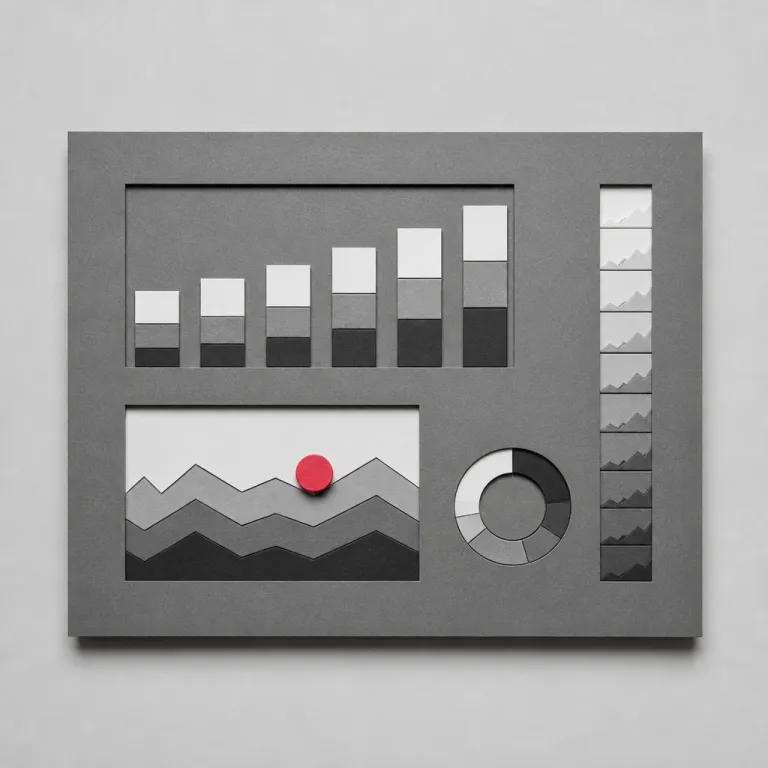
Start with a neutral base for most data visualizations, then reserve one accent color for the key series or the most important KPI. This makes the primary data story pop instantly, even when the user glances at the dashboard for only a short time. Use variations in saturation and value, not just hue, so that the design remains readable for color blind users and in low contrast environments.
Accessibility should be a non negotiable part of dashboard design, especially when dashboards inform high stakes business decisions. Check contrast ratios for text and critical visual elements, and avoid encoding information by color alone in charts and analytics dashboard tiles. Patterns, shapes, and direct labels can all support more effective data communication for a diverse audience.
Typography also shapes how quickly users extract insights from dashboard data. Choose a clear sans serif typeface, keep the number of font sizes small, and use weight and spacing to signal hierarchy in the data story. Short, descriptive labels beat cryptic abbreviations, because they reduce cognitive load and help the narrative flow.
When you align color and type with the overall brand system, dashboards become part of a coherent visual communication ecosystem. This consistency reinforces trust in the data, especially when multiple dashboards and data visualizations circulate across teams. Over time, a stable visual language for data storytelling turns scattered data stories into a shared, data driven culture.
Tools, workflows and collaboration for narrative dashboards
Designers who work on data storytelling dashboard design sit at the intersection of UX, data science, and business strategy. To build dashboards that tell effective stories, you need a workflow that connects raw data to visual decisions without losing context. That means collaborating closely with analysts, product owners, and communication teams from the first sketch.
On the tooling side, a layered stack often works best for narrative dashboards. You might explore visualization tools such as D3.js, Observable, Recharts, or Nivo when you need custom data visualizations and fine grained control over interaction. For faster iterations, pairing a design tool like Figma with a data dashboard platform such as Looker, Tableau, or Power BI lets you test dashboard examples with real data before committing to full development.
Whatever tools you choose, keep the focus on the data story and the audience, not on technical novelty. A simple analytics dashboard that answers one business question clearly will always beat a complex visualization dashboard that tries to impress with animations. Document the narrative, the key decisions, and the assumptions behind each chart, so that future teams can extend the dashboard data without breaking the story.
As dashboards spread across an organisation, governance becomes part of design data practice. Define shared patterns for filters, date ranges, and interaction so that users do not have to relearn the interface every time they open new dashboards. This consistency turns scattered story data into a coherent library of data stories that people trust and actually use.
Finally, remember that narrative dashboards live inside a broader communication ecosystem. When you work with leaders or communication directors, align on how dashboard insights will feed presentations, reports, and campaigns, as described in this analysis of design driven communication leadership. In mature teams, data storytelling, data visualization, and UX design converge into one continuous practice that shapes how the organisation thinks and decides.
FAQ
How do I start a data storytelling project for an existing dashboard ?
Begin by interviewing key users to understand which decisions they try to make with the current dashboard and where they feel lost. Then rewrite the purpose as a short narrative, such as “how our email campaigns turn subscribers into customers over time”, and audit every chart against that story. Remove or redesign any visualization that does not help the audience answer that central question quickly.
What is the difference between data storytelling and data visualization ?
Data visualization focuses on representing data accurately and clearly through charts, maps, and diagrams. Data storytelling adds a narrative layer on top of those visuals, connecting data points into a sequence that explains context, change, and implications for action. In dashboard design, you need both : solid visual encoding and a guided narrative that leads from overview to insight.
Which metrics should I highlight first in a narrative dashboard ?
Prioritise one or two metrics that directly reflect the main business outcome, such as revenue, retention, or cost per acquisition. Place them in the most prominent position, then add supporting metrics that explain why those outcomes move, like traffic, conversion rate, or churn. Avoid starting with vanity metrics that look impressive but do not change decisions.
How can I keep a dashboard usable for both executives and operational teams ?
Design a layered experience where the top of the dashboard offers a simple, high level story for executives, while deeper sections and interactions reveal more detailed analytics for operational users. Use clear labels, consistent filters, and progressive disclosure so that each audience can stay at the level of detail they need. In some cases, it is more effective to create two linked dashboards that share the same data model but target different user groups.
How often should I update or redesign a narrative dashboard ?
Update the data as frequently as the decisions require, which might mean daily for operational dashboards and weekly or monthly for strategic ones. Redesign the structure only when the underlying business questions change, for example after a new product launch or a shift in strategy. Regularly review usage analytics and user feedback to see whether the current narrative still matches how people work.